Open
3D Dental Scans
in Your Browser.
Open large 3D CBCT scans in seconds — no software to install. Just your web browser. See fine detail clearly, trace the nerve to plan safe implants, and share scans securely with patients and labs.
No scan handy? Explore the live demo with a sample patient — no signup.
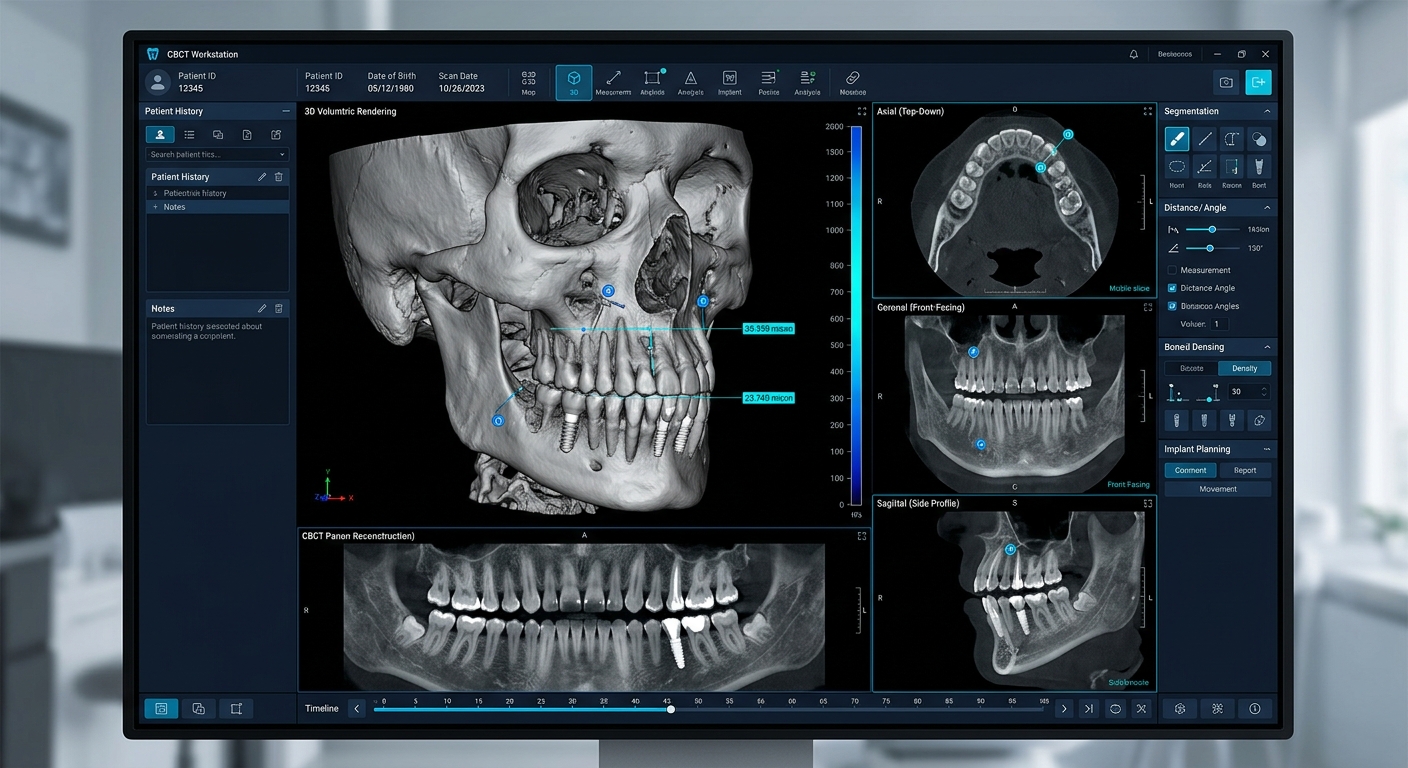
See More Than a Flat X-Ray Can Show
Regular X-rays are flat, so structures overlap and sizes get distorted. A 3D CBCT scan shows the real shape and depth — and you can view it right in your browser.
Pick a Feature
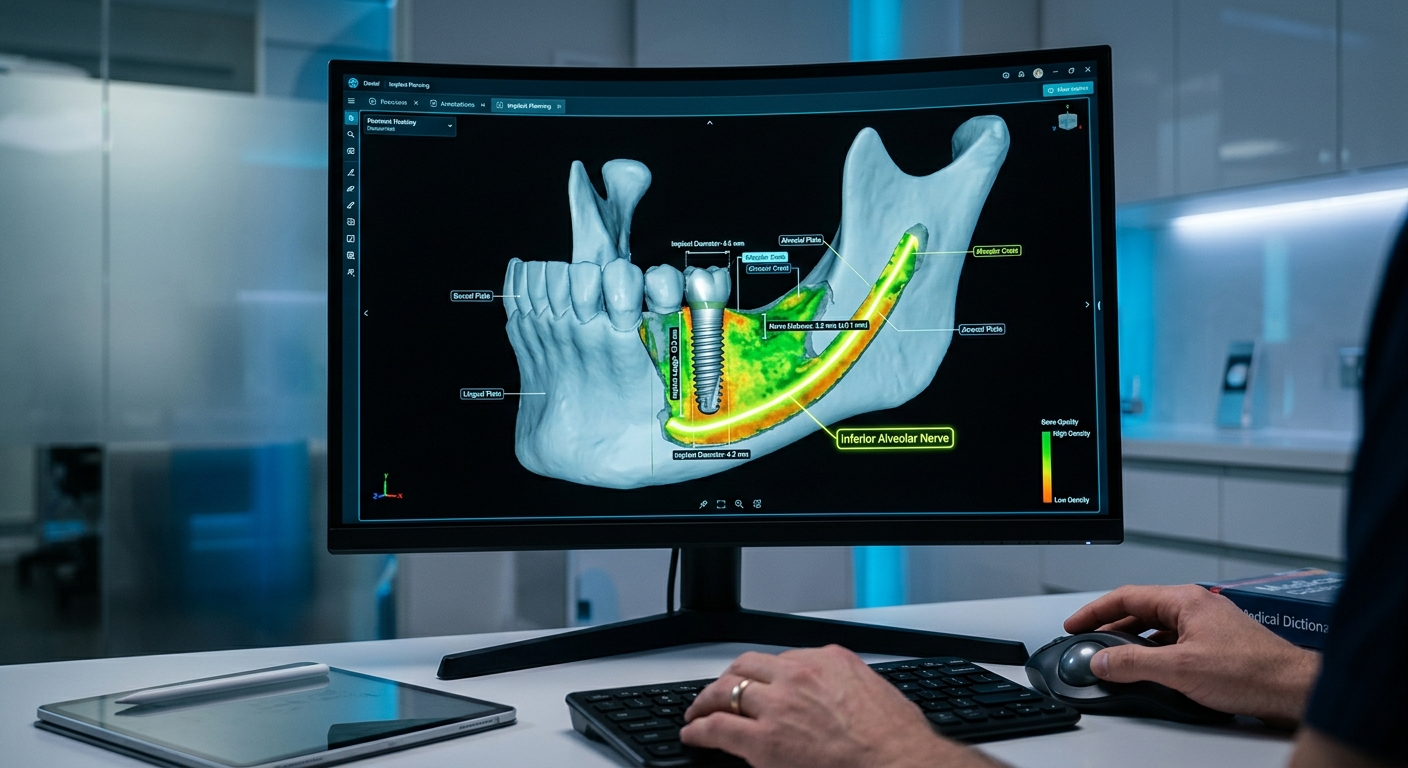
Find the Nerve, Avoid Damage
What it does
Trace the exact path of the nerve canal in the lower jaw as you work. This helps you avoid hitting the nerve while drilling for an implant, which can cause numbness or lasting damage.
Why it matters
Keep at least a 2mm safety gap from the nerve, so you know your plan is safe before you start.
Open Any Scan File in Your Browser
No more slow, heavy imaging software that needs a powerful computer. Drop in your scan files (DICOM, the standard format your scanner produces) and they open right away in any web browser.
Works on Any Device
Use it on a Windows PC, Mac, iPad, or phone — in the treatment room or anywhere else.
Smooth, Fast 3D
Rotate and scroll through detailed 3D bone views smoothly, with no lag.
Reads Scan Details Automatically
Pulls the important scan info for you — patient details (kept private), scanner settings, and image spacing — so you don't have to.
Try the Uploader
Drop in a DICOM scan (or a .zip) — it's parsed right in your browser, then opens in the interactive viewer below.
Try the Live Demo Below
See how it works. Measure something on the scan, and it drops straight into the patient report below — no retyping.
Window / Level
Implant Fixture
Clinical Summary
Dental Report Workspace
1. Patient & Scan Details
Quick-add common findings
One Click to Add2. Findings (1)updates automatically
Initial assessment: Slice series depicts mandibular alveolar bone ridge height of 15.5mm at relative tooth centroid 36.
Ready to open your CBCT scans right in the browser?
Join hundreds of dentists, orthodontists, and labs. Drag in your scan files (.dcm) and view them in full 3D quality — no license keys, no setup.